
My AI Rig
My AI Setup - Power, Efficiency, and Color
As an AI consultant and model creator, my tools are my partners in experimentation, discovery, and creation. Over time, I’ve built a nice little ecosystem of devices that allow me to train, test, and store AI models efficiently, without burning through unnecessary costs. It’s a setup that I feel balances raw power with flexibility, and performance with practicality, and .. it looks cool.
Here’s a look under the hood at how I work, why I chose this configuration, and why I think it’s a blueprint for any independent technologist working in AI.
The Desktop: My Ubuntu Training Powerhouse
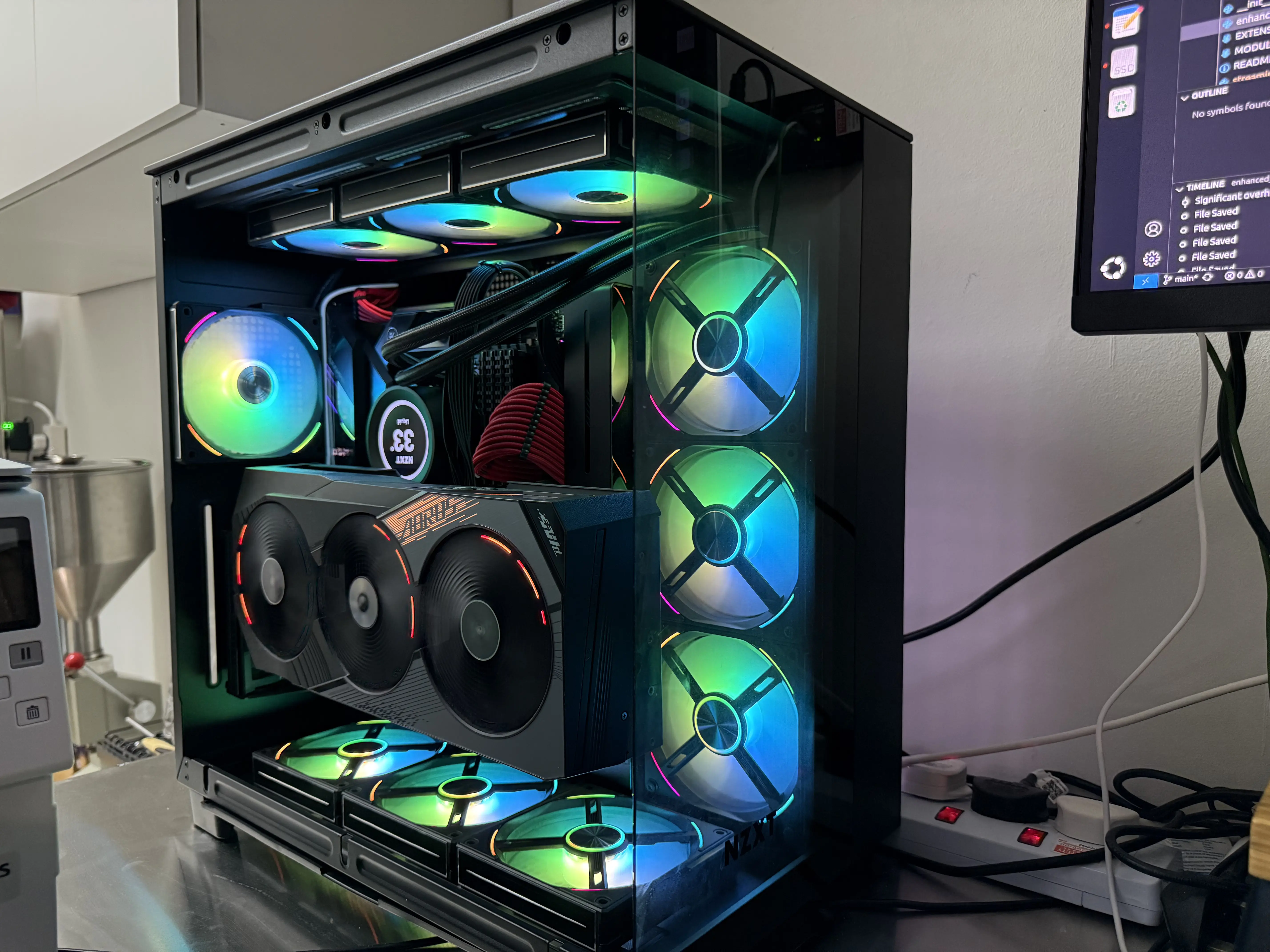
Every AI researcher needs a workhorse. Mine started life as someone else’s gaming rig. I found it on Carousell, and while it may have once been tuned for high FPS, I've repurposed and optimized it for AI.
- CPU: AMD Ryzen 9 5950X
- Motherboard: Asus X570 ROG VIII Hero
- Memory: 128GB DDR4 RAM
- Storage: 2TB Samsung 990 Pro NVMe + 2TB Samsung 980 Pro NVMe + 2TB Samsung 870 EVO PRO SSD
GPU: NVIDIA RTX4090, 24GB VRAM
This desktop is where I do all the heavy lifting, full-scale training runs, large batch experiments, and multi-modal AI prototypes, leveraging every ounce of GPU and CPU power. With 128GB of RAM and dual high-speed NVMe drives, I only occasionally hit bottlenecks (usually when I need very large batch sizes for NTXENT/BYOL related training), but for 90% of the time this beast does all I need .
And yes, it’s lit up with RGB fans. In fact, working in the dark while the rig glows like a sci-fi reactor has become part of the ritual.
The Laptop: (Also Ubuntu)
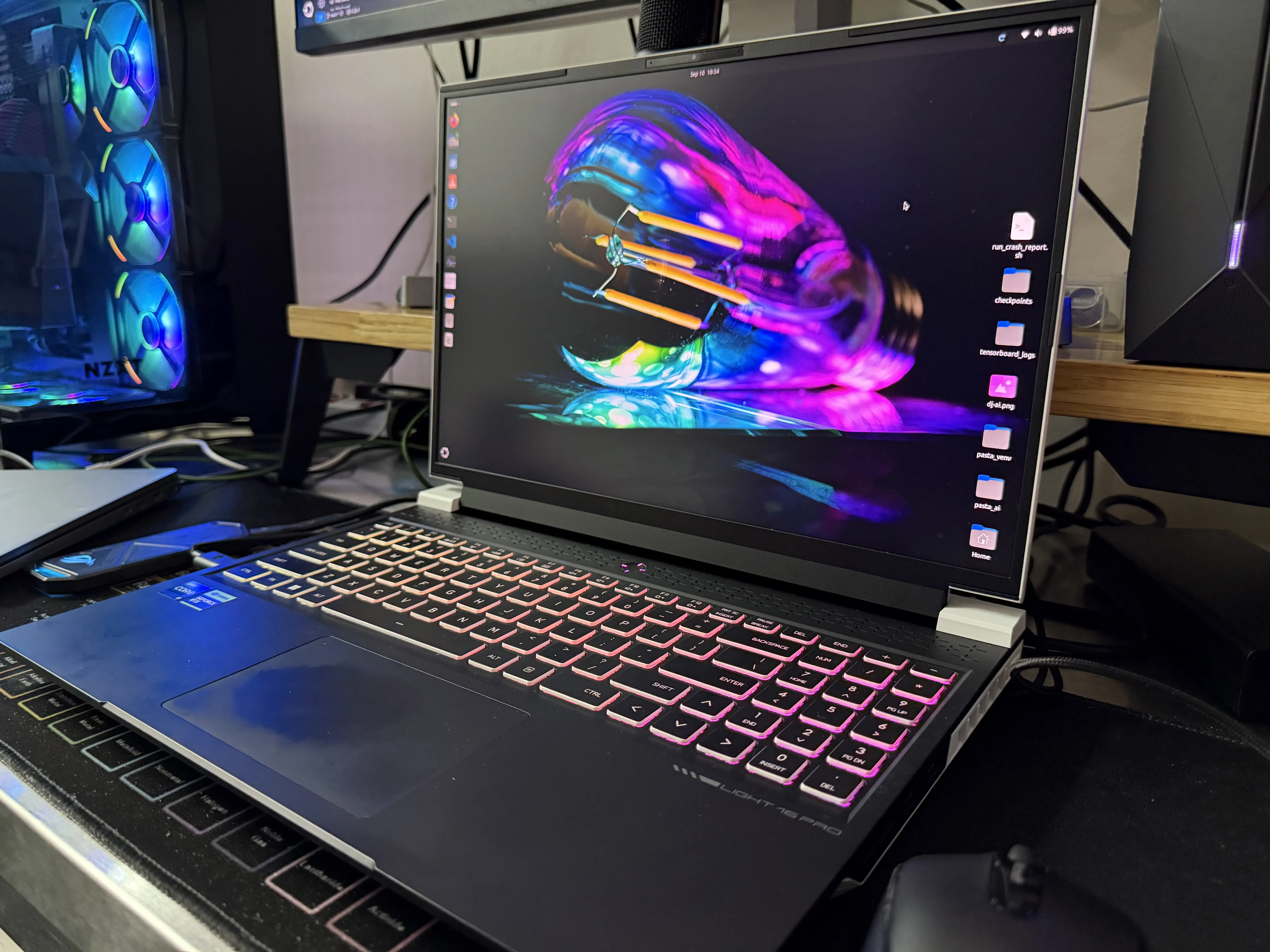
On the road (or just away from my main desk) - wait.. it's only left my desk once because the battery lasts about 45 mins .., I use my Machinike L16 Pro, a second-hand discovery that turned out to be a near-new gem. The seller had listed it boxed with the protective film still intact, effectively brand new, but at a fraction of the retail price! SCORE!!
- CPU: Intel Core i9 13900HX
- GPU: NVIDIA RTX4090, 16GB VRAM
- Memory: 64GB RAM
- Storage: 2TB NVMe
Cooling: External water cooler
This laptop is perfect for coding, prototyping, and inference testing. It’s great being able to test ideas quickly without always relying on the main desktop. For smaller models and lightweight training, the laptop delivers plenty of punch, and the external water cooling keeps it steady even under sustained load.
Like the desktop, it sports RGB flair. If you’ve ever worked late into the night with neon lights glowing under your keyboard, you’ll know why it makes the work feel creative rather than clinical.
The NAS - I think MinisForum have won the NAS space with this.
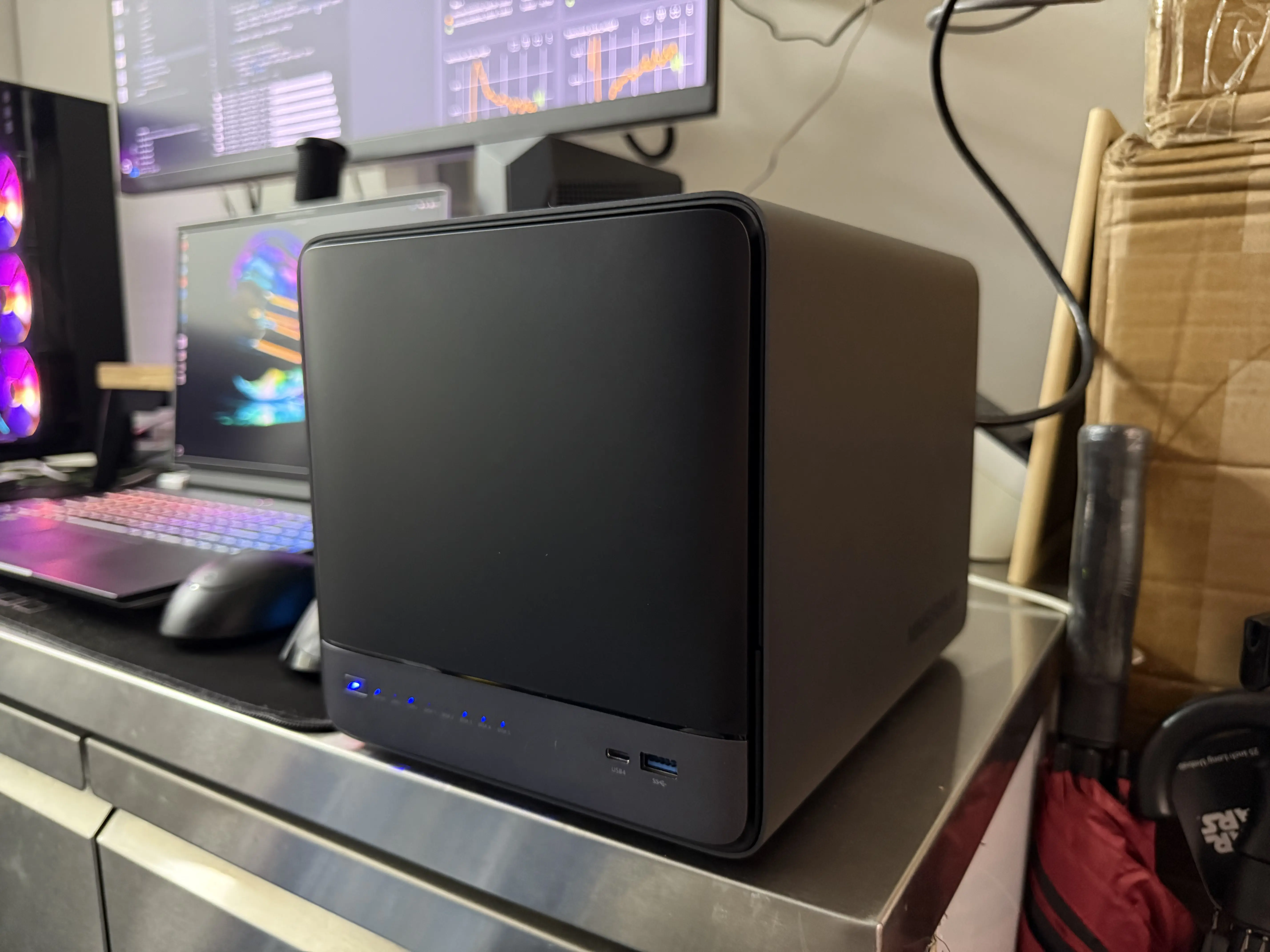
Downloading massive public datasets, creating my own and keeping backups was a challenge, even with the 6TB storage in my desktop. Some dataset downloads would take days, and I'd run out of space and have to delete old dataset, only to find I would need them again later. To solve this I needed more storage. That’s where my new Minisforum N5 Pro NAS, with the miniscloud os replaced by TRUENAS, comes in. It’s my long-term memory: a secure, scalable place to store datasets and backups.
2 × 4TB Samsung 990 Pro NVMe (RAID 0) – fast scratch disk
2 × 4TB Samsung 870 Evo SSD (RAID 0) – for frequently accessed training/validation data
3 × 16TB Seagate IronWolf Pro (RAID Z1) – long-term dataset storage and backups
This setup lets me balance speed and reliability. When I need raw performance for dataset pre-processing or validation, I hit the NVMe and SSD arrays. For archival or redundancy, the 32TB of IronWolf Pros give me peace of mind. It’s not glamorous like the desktop or laptop, but it’s the backbone of everything. It's a really good device. I want to develop some AI tools to layer into TRUENAS which can take advantage of the N5 PRO's AI ready CPU.
The Software
I do have a lot of tools installed, but I'll stick to the main bits of my setup. Both my laptop and desktop share a majority of the same tools. For coding, I use VS Code, I've used Visual Studio for years, it's always been my IDE of choice. I leverage Claude Code for rapid coding and especially documentation. Claude Code is a life saver when it comes to accurate documentation, writing test scripts and helping debug. But man, don't let it do what it want's or else it will go to town on your code. I also use ChatGPT for creative back and forth, I like proposing ideas and having it find the weaknesses for me. Aside from the development interface components and supporting AI tools. To be honest, without going into details on PyTorch versions and NVIDIA tools, these are the main tools I use in my development work. For keeping track of code changes and versioning, I use GIT, and GITHUB. These have saved me a few times. My machines are all Ubuntu, except for one Windows Surface Pro laptop, which I use at home and SSH into my desktop to carry on coding. I think the simple set up is the best set up.
Why This Setup Works
I could have splurged on brand-new hardware at full retail prices, but instead, I chose to be resourceful (read, if I spent anymore my wife would have my head). Both my desktop and laptop came from Carousell, where buyers’ remorse often translates into bargains for me. By picking up near-new tech at second-hand prices, I saved thousands without compromising on performance.
This strategy has two key benefits:
Cost Efficiency - I get high-end gear without the financial overhead.
Sustainability - repurposing hardware reduces waste, giving machines a second life.
It also reflects how I approach my work/passions: creative, efficient, and always looking for smart ways to push limits without wasting resources.
AI is evolving rapidly, and so are the tools I use to build it. My setup, the powerhouse desktop, the workhorse laptop, and the reliable NAS, lets me experiment at scale. I've selected hardware that supports the way I think and work.
And, admittedly, it’s a bit of a light show too. Because if you’re going to spend long nights training models, you may as well enjoy the glow.